
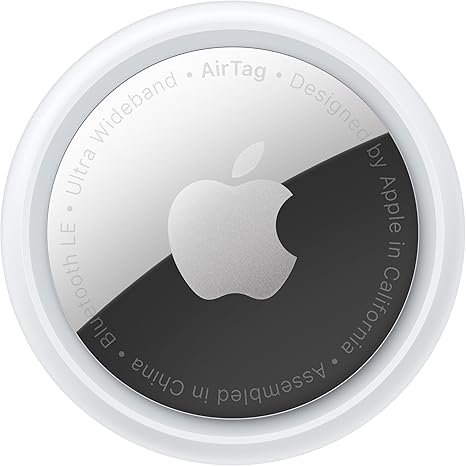

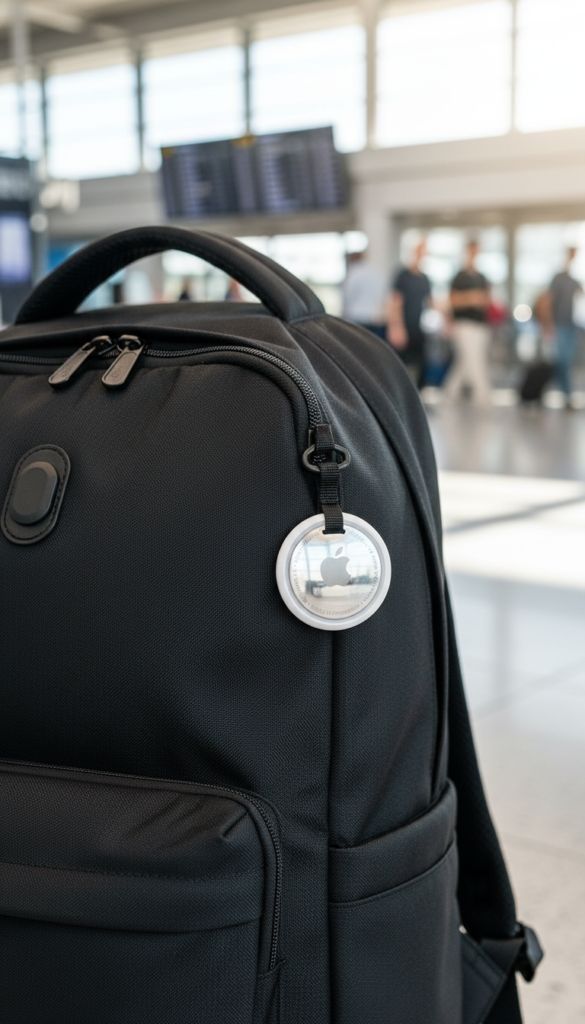
Apple AirTag review shows why this small tracking device has become an essential part of everyday life. Designed for iPhone users, Apple AirTag helps you find lost keys, bags, wallets, and luggage within seconds using Apple’s powerful Find My network. In this review, we’ll explain why Apple AirTag is one of the most useful smart accessories you can own today.
What Is Apple AirTag?
Apple AirTag is a small, lightweight Bluetooth tracking device created by Apple. You can attach it to keys, backpacks, luggage, wallets, or even pet collars to track their location through your iPhone.
Once connected, AirTag uses Apple’s Find My app and millions of Apple devices worldwide to help locate lost items with impressive accuracy.
Key Features of Apple AirTag
🔹 Precision Finding (Ultra Wideband)
Apple AirTag uses Ultra Wideband technology (on supported iPhones) to guide you directly to your lost item with on-screen arrows and distance indicators.
🔹 Find My Network
Even if your item is far away, nearby Apple devices can securely update its location — all anonymously and encrypted.
🔹 Long Battery Life
- Replaceable CR2032 battery
- Lasts up to 1 year
- No charging required
🔹 Water & Dust Resistant
With IP67 rating, Apple AirTag can survive splashes, rain, and dust without issues.
🔹 Privacy & Security
Apple AirTag is designed with strong privacy protection, ensuring no one else can track you without permission.
Real-Life Uses: Why Apple AirTag Is Important in Daily Life
Apple AirTag is not just a gadget — it’s a stress-reducing tool.
You can use it for:
- 🔑 Finding lost keys
- 🎒 Tracking backpacks and school bags
- 🧳 Locating luggage while traveling
- 🚗 Remembering where you parked your car
- 🐶 Attaching to pet accessories (with holders)
For frequent travelers, students, parents, and professionals, Apple AirTag can save time, money, and frustration
How to Use Apple AirTag (Step-by-Step Guide)
Using Apple AirTag is very simple, even for first-time users. Here’s how you can set it up and start tracking your items.
Step 1: Unbox and Activate
Remove the plastic tab from the Apple AirTag to activate the battery. Bring it close to your iPhone, and a setup prompt will appear automatically.
Step 2: Connect to iPhone
Tap “Connect” on your iPhone screen and sign in with your Apple ID. Choose the item you want to track, such as keys, backpack, wallet, or luggage.
Step 3: Attach AirTag to Your Item
Use a keyring or holder to attach the AirTag to your keys, bag, or luggage securely.
Step 4: Track Using the Find My App
Open the Find My app on your iPhone. You can:
See your item’s location on the map
Use Precision Finding to get directions
Play a sound to locate nearby items
Step 5: Enable Lost Mode (If Needed)
If your item is lost, enable Lost Mode in the Find My app. You’ll receive a notification when it’s found by the Apple network.
This makes Apple AirTag extremely useful in daily life, travel, and emergencies.
Apple AirTag Pros & Cons
Pros
Extremely accurate tracking
Seamless integration with iPhone
One-year battery life
Compact and lightweight
Strong privacy protection
Cons
Only works with Apple devices
Accessories (keyrings, holders) sold separately
No built-in attachment hole
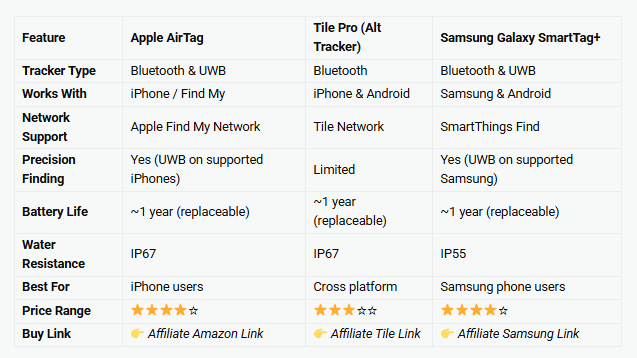
Apple AirTag Vs Tile Pro (Alt Tracker ) Vs Samsung Smart Tag
Is Apple AirTag Worth Buying?
Absolutely. If you:
Often misplace items
Travel frequently
Want peace of mind
Use an iPhone
Then Apple AirTag is 100% worth buying. Its reliability, ease of use, and smart tracking make it one of the most useful Apple accessories available today.
Final Verdict: Should You Buy Apple AirTag?
- Rating: 4.8 / 5
Apple AirTag proves that small technology can make a big difference in everyday life. It’s simple, powerful, and incredibly useful. Once you start using it, you’ll wonder how you ever lived without it.
Highly recommended for all iPhone users.
Check Price on Amazon
Buy Apple AirTag on Amazon (Best Price & Fast Delivery)